What is Advanced text papi Jo?
An enhanced version of the official H5P Advanced Text library, with support for author-defined tooltips and additional text presentation features.
How to create textual tooltips?
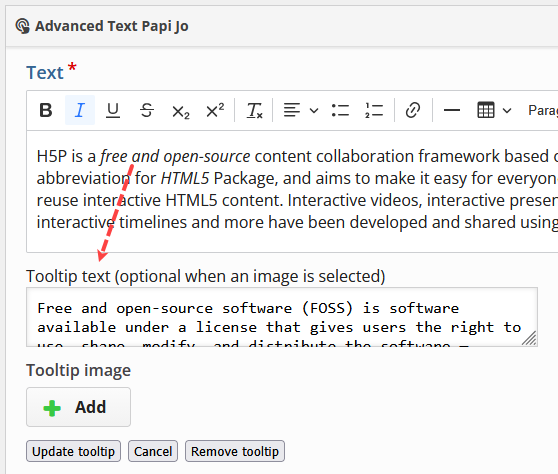
Tooltips can be created, edited, and removed directly in the H5P editor. Tooltip text supports a restricted set of inline formatting elements: <em>, <strong>, <sup>, <sub>, <s>, and <br>. Images can be used in Tooltips, they are inserted by the usual Insert Image H5P process.
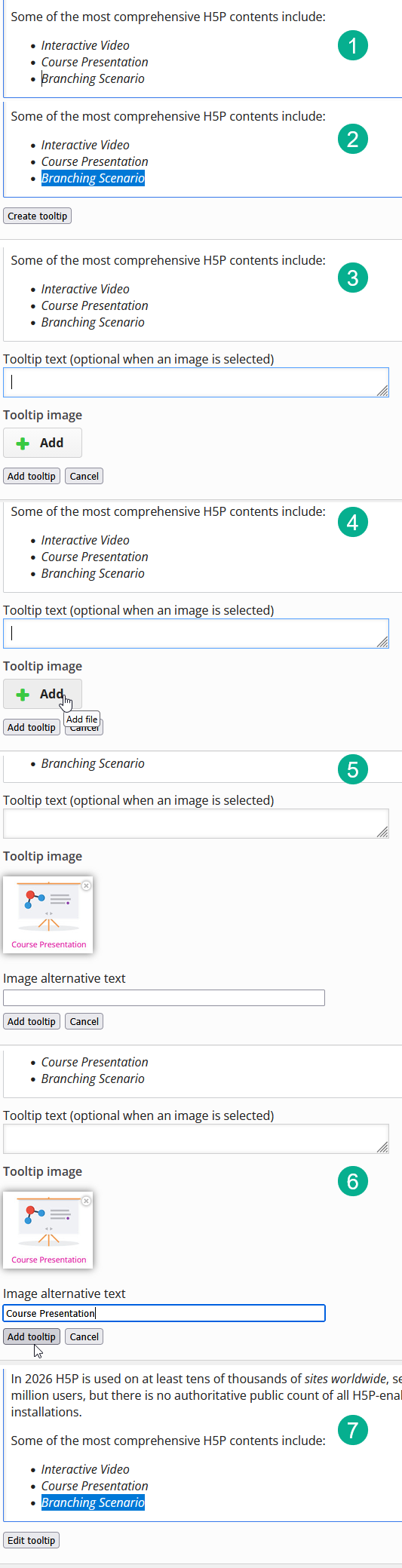
How to create image tooltips?
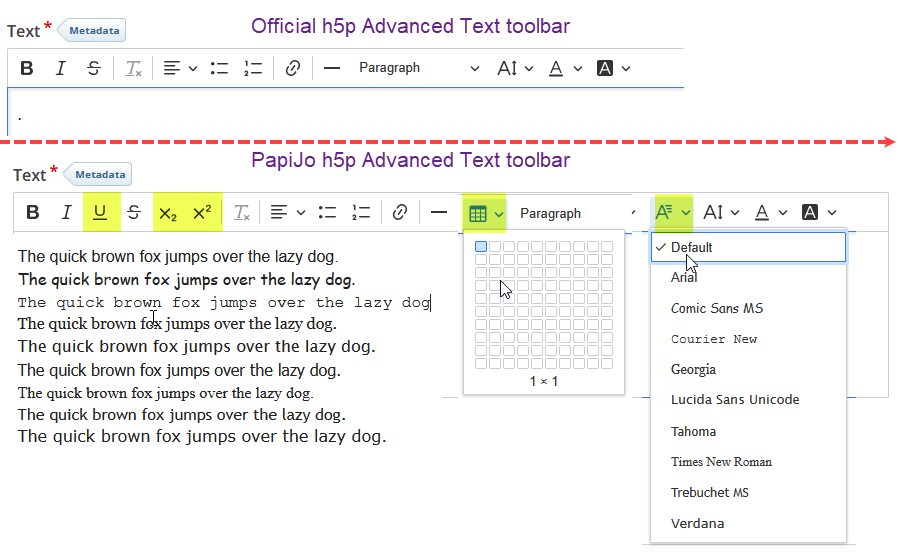
Comparing Editing Toolbar in default and in papijo AdvancedText
Managed tooltip image development notes
These notes are meant for developers only. Not needed for end-user use.
Tooltip images are stored in the optional root tooltipImages semantic list. The annotated span contains only the sanitized tooltip text and, when needed, data-papijo-tooltip-id; image URLs and markup are never stored in the text attribute. Orphaned image definitions are removed when the editor validates the content for serialization.
CKEditor undo and redo cover the span annotation, including its tooltip image ID. Changes made inside H5P’s separate image picker (upload, replacement, and alternative text) are not part of CKEditor’s history. Definition deletion is deliberately deferred until serialization so undoing removal of an annotation does not immediately lose its image. Copying an annotated span within the same content shares the referenced definition; copying it to another content does not copy the root definition, so the destination safely behaves as a missing-image tooltip until an image is selected there.
Last edited: